
Samsung Washer Stuck on Sensing? Try These 5 Fixes
So, your Samsung washer is stuck on sensing? This is frustrating when you have laundry waiting and the wash cycle will not begin.
Luckily, this is often a temporary problem. An uneven load, slow water supply, or door that is not locking can keep the washer on sensing.
Follow these solutions in order, and one of them should help you get the washer moving again.
A full size portable washer that gets your laundry moving again while the main machine is out of action. Plugs into any tap, no plumbing needed.
Pros:
- Handles a real 17.8 lb load, not just socks.
- Hooks to a kitchen tap in minutes.
- Keeps laundry going during a repair.
Cons:
- Needs floor space near a sink.
As an Amazon Associate I earn from qualifying purchases.
| ROVSUN 17.8LBS Portable Washing Machine | Check Price |
| Zyro Washing Machine Cleaner Tablet | Check Price |
| Portable Washing Machine, Mini Washer | Check Price |
How to Fix a Samsung Washer Stuck on Sensing
If your Samsung washer stays on sensing, reset it, balance the clothes, check both water faucets, and make sure the door or lid closes properly.
If the washer is under warranty, do not open its control panel. Try the safe checks below first.
Reset the Washer
A small control error can stop the cycle before it starts. Turn the washer off, unplug it for five minutes, then plug it back in and select a normal cycle.
Follow our Samsung washer reset steps if you need help. If sensing remains on, look at how the clothes are sitting in the drum.
Balance the Clothes
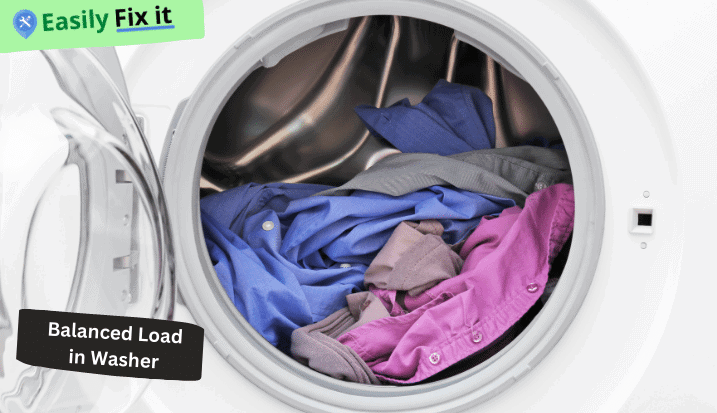
Open the washer and spread the clothes around the drum. Remove a few items if they are packed tightly, or add one or two items if a single heavy towel is sitting alone.
An uneven load are one of the common reasons a washer keeps checking the weight.
Check the Water Supply
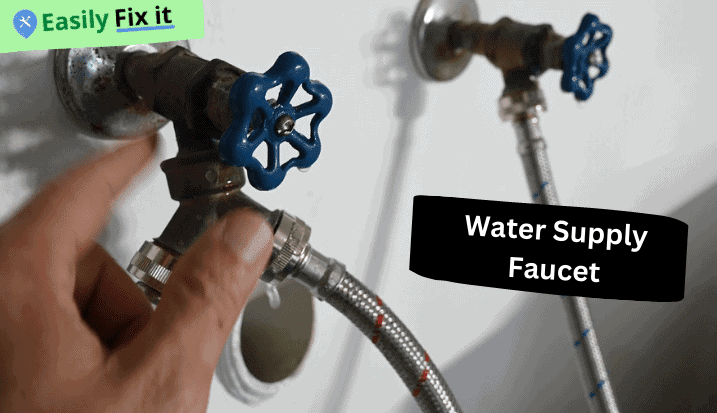
Turn both water faucets fully on and make sure the inlet hoses are not bent. The washer may stay on sensing when water enters too slowly.
If no water enters, read our guide about a Samsung washer that is not filling. These check only takes a minute.
Make Sure the Door or Lid Closes
Move clothing away from the edge and clean detergent from the latch. Close the door or lid gently and listen for it to lock after you press Start.
A broken lock may needs replacement. Do not try to bypass it because the lock is an important safety part.
Have the Controls Checked
If the washer still stays on sensing, the timer, water-level part, or control board may be faulty. There is several possible parts, so guessing can become expensive.
Ask a washer technician to test it before buying anything.
Conclusion
Try these five fixes when your Samsung washer will not move past sensing:
- Reset the washer
- Balance the clothes
- Check the water supply
- Make sure the door or lid closes
- Have the controls checked
In most cases, correcting the load or water supply will let the cycle start normally.
Clears the detergent sludge and limescale that clogs drain pumps and makes a washer smell. Run one before you start pulling the machine apart.
Pros:
- Targets the buildup behind drain faults.
- One tablet a month keeps it clear.
- Works in front and top loaders.
Cons:
- Heavy buildup may need two runs.
As an Amazon Associate I earn from qualifying purchases.
| ROVSUN 17.8LBS Portable Washing Machine | Check Price |
| Zyro Washing Machine Cleaner Tablet | Check Price |
| Portable Washing Machine, Mini Washer | Check Price |
Samsung Washing Machine Still Not Working?
Start with what your washing machine is doing. Use our diagnostic tool, answer a few easy questions, and get the solution.
Use Our Samsung Washing Machine Troubleshooting ToolWas this page helpful?
Thanks for your feedback!
Written by
Muhammad Ali is an Electrical Engineer and Appliance Repair Specialist from Canada, who has been helping people fix their appliances since 2020.