
Shark Robot Vacuum Not Connecting to Wi-Fi? Try these FIXES!
Is your Shark robot vacuum not connecting to Wi-Fi or getting stuck while you set it up in the SharkClean app? Don't panic, this is normally a network setting or connection problem, not a fault with the robot.
Luckily, there are a few easy things you can check before contacting Shark. Here we will cover the common reasons that causes a Shark robot vacuum Wi-Fi connection problem.
Get Your Shark Robot Back on Wi-Fi
To connect a Shark robot vacuum to Wi-Fi, make sure your phone is using a 2.4 GHz network, turn off any VPN or proxy, check that Wi-Fi isolation is disabled on the router, then enter the correct network password again in the SharkClean app.
Many home routers show one network name for both 2.4 GHz and 5 GHz. However, Shark robot app setup needs a 2.4 GHz connection on supported models, so the robot may fail to join if your phone or router is using the wrong band.
Make Sure Your Phone Uses 2.4 GHz Wi-Fi
Open the Wi-Fi settings on your phone and check the network you are connected to. If your router has separate 2.4 GHz and 5 GHz network names, choose the 2.4 GHz one before starting setup again.
Some routers combines both bands under one name. In that case, check the router settings or ask your internet provider how to temporarily connect your phone to 2.4 GHz during the SharkClean app setup.
Move the Robot and Phone Near the Router
Weak Wi-Fi can stop the connection before it finishes. Put the Shark robot on its dock and keep your phone close to the router while you try again.
Do not set it up in a garage, basement, or far side of the home first. Walls and large appliances can makes the signal weaker than it looks on your phone.
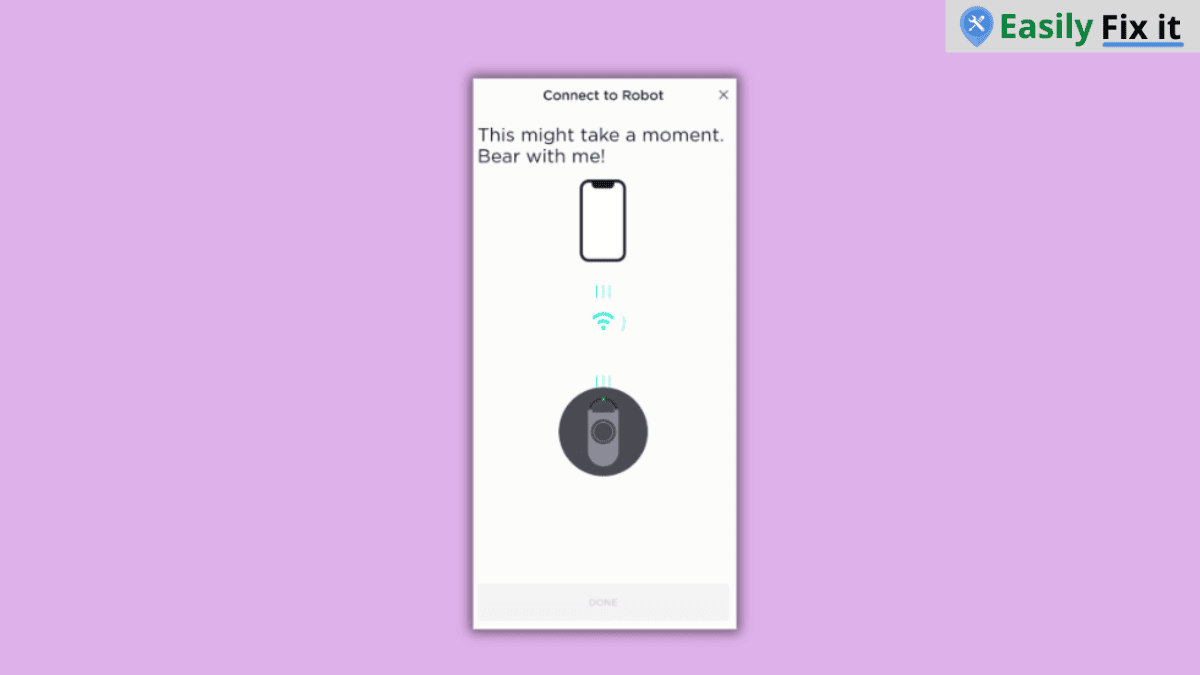
Turn Off VPN, Proxy, and Wi-Fi Isolation
A VPN or proxy can interfere with the app finding your robot. Turn these off temporarily on your phone, then restart the Wi-Fi setup.
Also check your router for a setting called Wi-Fi isolation, AP isolation, or client isolation. This setting can stop devices on the same network from talking to each other, which can prevent the robot and app from connecting.
Enter the Wi-Fi Password Again
A small password mistake can stop the setup. Make sure you are entering the password for the 2.4 GHz network, not an old saved network or guest Wi-Fi password.
To start the connection again, do the following:
- Open the SharkClean app and select your robot setup
- Choose the correct 2.4 GHz Wi-Fi network
- Enter the password carefully
- Keep the app open until the setup is complete
- Wait for the robot Wi-Fi light or app message to confirm connection
Restart the Robot and Router
If the robot still will not connect, restart your router first and wait until the internet is working again. Then restart the Shark robot and try the app setup once more.
You can follow our Shark robot vacuum reset guide if the robot is frozen or not responding while you are trying to connect it.
Check Your Exact Shark Robot Model
Shark robot models can have different app setup screens and indicator lights. Look for the model number on the bottom of the robot, then check the owner guide for its exact Wi-Fi instructions.
Lastly, update the SharkClean app before trying again. If the robot shows a Wi-Fi error after you have checked the network and password, contact Shark support with the model number and error message.
Conclusion
A Shark robot vacuum not connecting to Wi-Fi is usually caused by the 2.4 GHz network, a wrong password, or router settings that block the app and robot from communicating. Check those simple things first and then try setup again near the router.
- Connect your phone to a 2.4 GHz Wi-Fi network
- Turn off VPN or proxy during setup
- Disable Wi-Fi isolation on the router
- Enter the correct Wi-Fi password again
- Restart the router and Shark robot if setup still fails
Need More Help With Your Shark Vacuum?
Don't panic. Use our Shark vacuum troubleshooting tool to select the problem you are having. Answer a few easy questions and get the solution.
Use Our Shark Vacuum TroubleshooterWas this page helpful?
Thanks for your feedback!
Written by
Muhammad Ali is an Electrical Engineer and Appliance Repair Specialist from Canada, who has been helping people fix their appliances since 2020.